 SUMCAM
THE CAMERA CALCULATOR
Point.
Tap.
Total.
The numbers are already in front of you.
Let your camera do the typing.
Point at printed numbers, check the reading, and tap to add. From a stack of receipts to labels on the warehouse floor, keep your count moving.
iPhone & iPad $0.99 US · One-time purchase
LESS TYPING. MORE DOING.
From label to total
in a few taps.
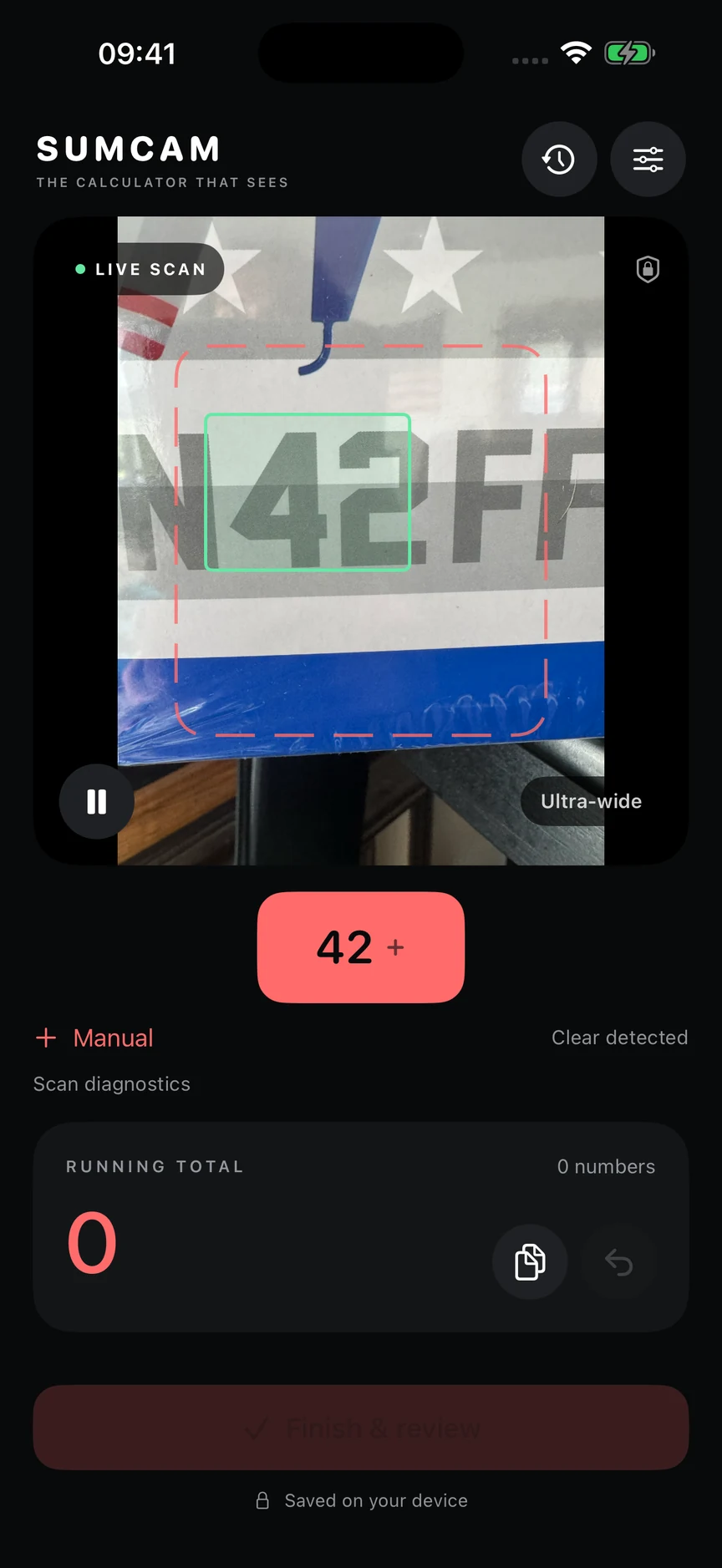
Point at the number.
Hold a printed label inside the scan frame. SUMCAM highlights up to three of the largest recognized numbers.
Check it. Tap it.
Choose the value you want to add. Undo a tap or enter a number manually whenever you need to.
Keep the whole tally.
Review your entries, name the session, and save it to History. Share the result or export CSV and PDF.
YOUR CAMERA. YOUR NUMBERS.
Private by design.
Recognition happens on your device. No accounts, ads, or tracking. SUMCAM doesn’t save or upload camera images.
Read the privacy policyDesigned for printed numbers. Lighting, print quality, and movement affect recognition—always check a value before adding it. SUMCAM automatically uses the ultra-wide camera when available, with the main rear camera as a fallback.